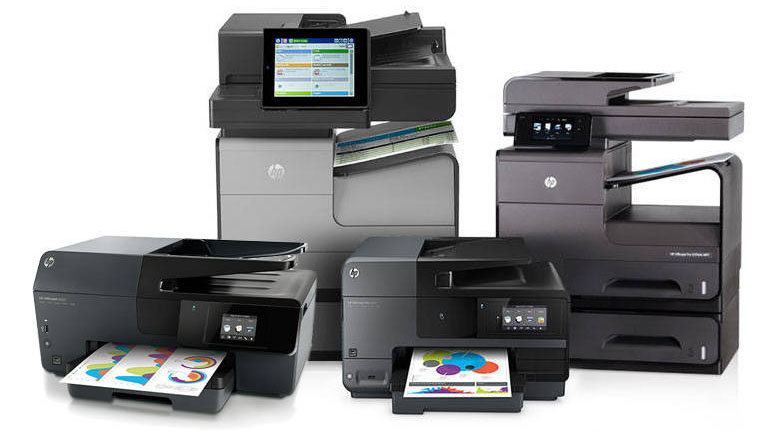
Brother Laser Printers: Complete Review Guide 2026
Brother has earned its reputation as the "workhorse" printer brand, delivering reliable laser printers that just keep working year after year. If you're tired of inkjet maintenance and want a printer that simply prints when you need it, Brother laser printers deserve serious consideration.
Why Choose Brother Laser Printers?
Brother dominates the small office and home office laser printer market for good reasons. Unlike consumer inkjet printers that require frequent maintenance, Brother lasers are engineered for reliability and longevity.
Key Advantages:
- Exceptional Reliability: Brother printers routinely last 5-10 years with minimal issues
- Low Cost Per Page: Laser toner yields 1,200-3,000 pages per cartridge
- No Ink Drying: Print once a month or daily - toner never dries out
- Fast Print Speeds: 30-36 pages per minute on most models
- Crisp Text Quality: Superior text sharpness compared to inkjet
- Easy Driver Support: Excellent compatibility with Windows, Mac, and Linux
Best Brother Laser Printers of 2026
Brother HL-L2350DW - Best Budget Laser
Best for: Home offices, students, light-duty printing
The HL-L2350DW is Brother's entry-level wireless laser printer, and it's a fantastic value. This compact monochrome printer delivers sharp text at 32 pages per minute and includes wireless connectivity - features you'd normally pay significantly more to get.
Key Specifications:
- Print speed: 32 ppm
- Print resolution: 2400 x 600 dpi
- Paper capacity: 250 sheets
- Wireless & USB connectivity
- Automatic duplex printing
- Toner yield: 1,200 pages (standard) / 3,000 pages (high yield)
Who Should Buy This:
Perfect for anyone who primarily prints black and white documents. Students writing papers, home businesses printing invoices, or anyone who wants reliable printing without the ink cartridge hassle will love this printer.
Brother HL-L2395DW - Best All-in-One Value
Best for: Small offices needing print, scan, copy, and fax
The HL-L2395DW takes the reliable HL-L2350DW and adds scanning, copying, and fax capabilities. It's the Swiss Army knife of home office printers, handling virtually any document task you throw at it.
Key Specifications:
- Print speed: 36 ppm
- Flatbed scanner with 600 x 2400 dpi
- 50-sheet automatic document feeder (ADF)
- Copy and fax functionality
- Wireless, USB, and Ethernet connectivity
- 2.7" color touchscreen
Why We Love It:
The 50-sheet ADF is a game-changer for scanning multi-page documents. Instead of lifting the scanner lid 20 times, you stack your pages and walk away. The touchscreen makes navigation intuitive, and the wireless printing works flawlessly from any device.
View on AmazonBrother HL-L3270CDW - Best Color Laser
Best for: Businesses needing color documents and presentations
If you need color printing but want laser reliability and speed, the HL-L3270CDW is the answer. This color laser printer delivers vibrant graphics and charts while maintaining Brother's legendary reliability.
Key Specifications:
- Print speed: 25 ppm (color and B&W)
- Print resolution: 2400 x 600 dpi
- 250-sheet paper capacity
- Automatic duplex printing
- Wireless, USB, and Ethernet
- Color toner yield: 1,800 pages per cartridge
Color Laser vs Color Inkjet:
Color laser printers excel at business documents, presentations, and marketing materials. They print faster than inkjet, toner never dries out, and color documents are water-resistant immediately after printing. However, photo quality lags behind inkjet - this is for documents, not photo printing.
Brother vs HP vs Canon: How They Compare
| Feature | Brother | HP | Canon |
|---|---|---|---|
| Reliability | Excellent | Good | Good |
| Toner Cost | Low | Higher | Medium |
| Print Speed | 30-36 ppm | 28-40 ppm | 25-35 ppm |
| Driver Support | Excellent | Good | Good |
| Best For | Reliability & value | Enterprise features | Photo quality |
| Warranty | 1 year | 1 year | 1 year |
Why Brother Wins for Most Users:
Brother printers simply work. They don't have the flashy features of HP's high-end models or Canon's photo capabilities, but they excel at the core mission: printing documents reliably, quickly, and affordably. Brother's toner cartridges also tend to be less expensive than HP equivalents, saving money over the printer's lifetime.
Common Questions About Brother Printers
Are Brother printers compatible with Mac?
Yes, Brother provides excellent Mac support. Most Brother printers work with AirPrint for wireless printing from Mac, iPhone, and iPad. Brother also provides free driver downloads for macOS on their support website.
How long do Brother printers last?
Brother laser printers routinely last 5-10 years with moderate use (up to 5,000 pages per year). Many users report Brother printers lasting even longer. The lack of ink cartridges that can dry out or printheads that clog contributes to their longevity.
Do Brother printers work with third-party toner?
Yes, Brother printers work with third-party toner cartridges. However, results vary by brand. Some users report excellent results with generic toner, while others experience print quality issues or reduced page yields. Brother genuine toner guarantees consistent quality and page counts.
Can Brother laser printers print photos?
Brother monochrome lasers print black and white photos with decent quality for documents. Color Brother lasers can print photos, but quality doesn't match inkjet printers. Laser technology excels at text and graphics, not photo reproduction. For photo printing, consider Canon or Epson inkjet printers instead.
Brother Toner: What You Need to Know
Understanding Brother's toner system helps you save money and avoid surprises.
Standard vs High-Yield Toner:
Example: Brother HL-L2350DW
Standard Toner (TN730):
- Page yield: 1,200 pages
- Cost: ~$35
- Cost per page: 2.9 cents
High-Yield Toner (TN760):
- Page yield: 3,000 pages
- Cost: ~$70
- Cost per page: 2.3 cents
Savings: 0.6 cents per page with high-yield toner. For 10,000 pages, that's $60 in savings!
Pro Tips for Brother Toner:
- Always buy high-yield toner - Lower cost per page and fewer replacements
- Stock up during sales - Toner doesn't expire, so buy when prices drop
- Ignore low toner warnings initially - Brother printers can print hundreds of pages after the warning appears
- Shake the toner - When print quality fades, remove the toner and shake it gently side-to-side to redistribute toner powder
- Buy genuine for best results - Third-party toner can work but may produce inconsistent quality
Setting Up Your Brother Printer
Brother makes wireless setup straightforward, but here's how to get connected quickly:
Wireless Setup Steps:
- Unbox printer and remove all packing materials and tape
- Install toner cartridge and drum unit
- Load paper in the tray
- Power on the printer
- Press and hold the WiFi button until WiFi light blinks
- On your computer, visit Brother's support website
- Download the "Full Driver & Software Package" for your model
- Run the installer and select "Wireless Network Connection"
- Follow on-screen prompts to connect printer to WiFi
- Print a test page to confirm connection
Alternative Method: Many Brother printers support WiFi Direct or WPS (Push Button) setup. Check your router and printer for WPS buttons for the fastest connection method.
Brother Mobile Apps
Brother offers several mobile apps for printing and scanning from smartphones:
Brother iPrint&Scan (Free)
- Print from iPhone, iPad, or Android
- Scan documents to your mobile device
- Print photos, documents, and web pages
- Available on App Store and Google Play
Brother Mobile Connect (Free)
- All iPrint&Scan features plus cloud services
- Print from Dropbox, Google Drive, OneDrive
- Scan to cloud services
- Print from social media
When NOT to Choose Brother
Brother laser printers aren't perfect for everyone. Consider alternatives if:
- You primarily print photos: Choose Canon PIXMA or Epson EcoTank instead
- You print less than 20 pages monthly: A budget inkjet might be more economical
- You need wide-format printing: Brother doesn't offer 11x17" or larger consumer printers
- Color accuracy is critical: Professional photo printers deliver better color
- You want integrated fax/scan to email: Some HP enterprise models have better document management features
Conclusion: Is Brother Right for You?
Brother laser printers represent the best value in reliable document printing. If you primarily print text documents, contracts, reports, or homework, a Brother laser printer will serve you faithfully for years while keeping operating costs low.
Our Top Recommendations:
- Best Budget Laser: Brother HL-L2350DW ($129) - Simple, reliable, wireless monochrome printing
- Best All-in-One Value: Brother HL-L2395DW ($179) - Adds scanning, copying, fax, and ADF
- Best Color Laser: Brother HL-L3270CDW ($329) - Fast color documents and presentations
The low cost per page, exceptional reliability, and years of trouble-free printing make Brother the smart choice for home offices, students, and small businesses. While the upfront cost exceeds budget inkjet printers, you'll recoup the investment within the first year through toner savings.
Final Verdict:
Brother laser printers earn our highest recommendation for anyone who values reliability and low operating costs. These printers simply work, year after year, without the maintenance headaches common to inkjet printers. For black and white document printing, Brother is the best choice available.